
Excel template for functional requirements
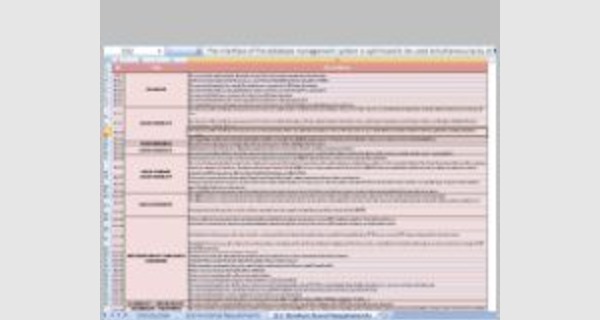
Excel template for functional requirements
This article provides details of Excel template for functional requirements that you can download now.
Microsoft Excel software under a Windows environment is required to use this template
These Excel templates for functional requirements work on all versions of Excel since 2007.
Examples of a ready-to-use spreadsheet: Download this table in Excel (.xls) format, and complete it with your specific information.
To be able to use these models correctly, you must first activate the macros at startup.
The file to download presents five Excel template for functional requirements
You can use these Functional Requirement templates to define a function of a software system and how the system must behave when presented with specific inputs or conditions. These may include calculations, data manipulation and processing and other specific functionality.
You can also use the requirements to generate use cases. Each use case describes one or more functional requirement and capture the scope, business objectives, and functional and non-functional requirements of the current/proposed system. A typical functional requirement has a unique name, number, summary, and a rationale.
What is a requirement?
- It may range from a high-level abstract statement of a service or of a system constraint to a detailed mathematical functional specification.
- This is inevitable as requirements may serve a dual function
- May be the basis for a bid for a contract - therefore must be open to interpretation;
- May be the basis for the contract itself - therefore must be defined in detail;
- Both these statements may be called requirements.
“If a company wishes to let a contract for a large software development project, it must define its needs in a sufficiently abstract way that a solution is not pre-defined. The requirements must be written so that several contractors can bid for the contract, offering, perhaps, different ways of meeting the client organization’s needs. Once a contract has been awarded, the contractor must write a system definition for the client in more detail so that the client understands and can validate what the software will do. Both of these documents may be called the requirements document for the system.”
Types of requirement
- User requirements
- Statements in natural language plus diagrams of the services the system provides and its operational constraints. Written for customers.
- System requirements
- A structured document setting out detailed descriptions of the system’s functions, services and operational constraints. Defines what should be implemented so may be part of a contract between client and contractor.
User and system requirements
System requirements specification
1.1 On the last working day of each month, a summary of the drugs prescribed, their cost and the prescribing clinics shall be generated.
1.2 The system shall automatically generate the report for printing after 17.30 on the last working day of the month.
1.3 A report shall be created for each clinic and shall list the individual drug names, the total number of prescriptions, the number of doses prescribed and the total cost of the prescribed drugs.
1.4 If drugs are available in different dose units (e.g. 10mg, 20 mg, etc.) separate reports shall be created for each dose unit.
1.5 Access to all cost reports shall be restricted to authorized users listed on a management access control list.
Functional and non-functional requirements
- Functional requirements
- Statements of services the system should provide, how the system should react to particular inputs and how the system should behave in particular situations.
- May state what the system should not do.
- Non-functional requirements
- Constraints on the services or functions offered by the system such as timing constraints, constraints on the development process, standards, etc.
- Often apply to the system as a whole rather than individual features or services.
- Domain requirements
- Constraints on the system from the domain of operation
Functional requirements
- Describe functionality or system services.
- Depend on the type of software, expected users and the type of system where the software is used.
- Functional user requirements may be high-level statements of what the system should do.
- Functional system requirements should describe the system services in detail.
Non-functional requirements
- These define system properties and constraints e.g. reliability, response time and storage requirements.
Constraints are I/O device capability, system representations, etc.
- Process requirements may also be specified mandating a particular IDE, programming language or development method.
- Non-functional requirements may be more critical than functional requirements. If these are not met, the system may be useless.