
Cours-Gratuit
  • Accueil
  • Blog
  • Cours informatique
home icon Cours gratuits » Cours informatique » Cours Bureautique » Cours Excel » Excel templates

Excel tournament bracket template double elimination
Excel tournament bracket template double elimination
Participez au vote ☆☆☆☆☆★★★★★
Page suivante pour Télécharger

Excel tournament bracket template double elimination

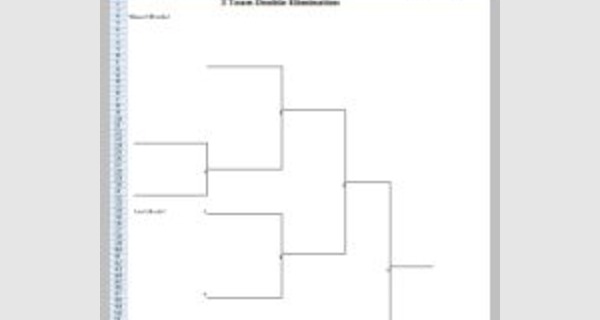
This article proposes in détail templates Excel tournament bracket double elimination, convenient and easy to use that you can download right now.

Microsoft Excel software under a Windows environment is required to use these templates.

These Excel tournament bracket template double elimination work on all Excel versions since Excel 2007.

Example of a ready-to-use spreadsheet: Download this table in Excel format (.xls), and fill it in with your specific information.

To be able to use these models correctly, you must first activate the macros at startup.

The file to download contains four templates Excel tournament bracket double elimination entirely to your needs.

  • Model Excel 3 Team Double Elimination
  • Model Excel 7 Team Double Elimination
  • Model for Basketball Tournament Bracket
  • Model Double Elimination Tournament Brackets

Instructions                                                                                                                        

1 Determine how many teams will be in your tournament.                                    

2 Click on the number below to go to the proper worksheet. If you don't see your exact number, pick the closest one that is just higher than what you need. To return to the instructions, click on the Instruction link located at the top of each sheet.                             

3 If your tournament is seeded, place the name of the team next to the proper seed number. If your tournament is not seeded, then uncheck the "Show Seed" check box located at the top of the selected sheet and randomly place your teams.                                       

4 If you have open starting positions, place BYE as the Team Name in these slots.         

5 Conduct games in the order they are numbered to balance breaks for each team. Uncheck the "Show Game Number" check box to hide the game numbers.      

6 As the tournament progresses, update your bracket either by hand or in Excel. Include scores in the gray boxes. Winners progress to the right in the Winner's bracket. On a team's first loss, they will drop down into the Loser's bracket. The final game will be between the winner of the Winner's bracket and the winner of the Loser's bracket. BYEs automatically advance to the Loser's bracket.                                                                                 

7          If the winner of the Winner's bracket losses in the final game, then the game is replayed to decide the winner because no one is out of the tournament until they lose twice.                                                                             

Decouvrir ces documents

  • Functional requirements document template Excel

    Functional requirements document template Excel

  • Excel accounting template

    Excel accounting template

  • Excel template cause and effect diagram

    Excel template cause and effect diagram

  • Excel flowchart template

    Excel flowchart template

  • Excel template for project resource allocation

    Excel template for project resource allocation

  • Excel template total cost of ownership

    Excel template total cost of ownership

  • Excel template ahp analytic hierarchy process

    Excel template ahp analytic hierarchy process

  • Excel template performance measurement

    Excel template performance measurement

Articles connexes

  • Comment comparer les données dans Excel
  • Comment ajuster la hauteur des lignes automatiquement sur Excel
  • Exercice Comptabilité Financière: les méthodes de consolidation
  • TOP logiciels de planning d’interventions en chantier BTP
  • Comment compter le nombre d'occurrences dans Excel
  • Tutoriel Excel : fonctions avancées
  • PowerPoint : ajouter ou modifier un thème (template)
  • Les Meilleurs livres pour Apprendre Ms Excel 2019 ou 365
  • Contactez-nous
  • A propos de nous
  • On recrute
  • Rechercher dans le site
  • Politique de confidentialité
  • Droit d'auteur/Copyright
  • Conditions générales d'utilisation
  • Plan du site
  • Accueil
  • Blog
  • Finance et compta.
  • Formations Pro.
  • Logiciels & Apps
  • Organisation
  • Cours informatique
  • Aide à la rédaction
  • Etudes et Metiers
  • Science et Tech
  • Titans de la Tech
id 11354 02