
Projet de gestion des prêts et de clients en langage C
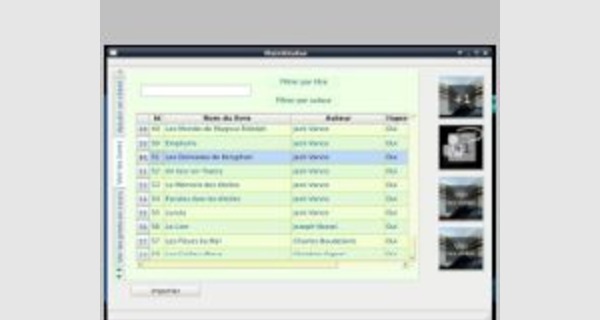
Projet de gestion des prêts et de clients en langage C
Cet article propose en détaille un projet de gestion des prêts et de clients en langage C avec Sqlite, Qt4 et des onglets sur le côté.
Vous pourrez télécharger le fichier au format zip il contient le code sources complet.
Extrait du code source :
#include "dialog.h"
#include "ui_dialog.h"
Dialog::Dialog(QWidget *parent,QString i) :
QDialog(parent),
ui(new Ui::Dialog)
{
setId(i);
ui->setupUi(this);
/* db = QSqlDatabase::addDatabase( "QSQLITE" );
db.setDatabaseName("biblio.sqlite" );
if( !db.open() )
QMessageBox::information(0, tr("Button"),tr("Failed to open database"));
*/
init();
}
Dialog::~Dialog()
{
delete ui;
}
void Dialog::changeEvent(QEvent *e)
{
QDialog::changeEvent(e);
switch (e->type()) {
case QEvent::LanguageChange:
ui->retranslateUi(this);
break;
default:
break;
}
}
void Dialog::setId(QString i)
{
id=i;
}
void Dialog::init(void)
{
/*
QSqlDatabase db = QSqlDatabase::addDatabase( "QSQLITE" );
db.setDatabaseName("biblio.sqlite" );
if( !db.open() )
QMessageBox::information(0, tr("Button"),tr("Failed to open database"));
*/
QSqlQuery qry;
QString sql="SELECT id,nom,auteur FROM livres WHERE id=?";
qry.prepare(sql);
//QString str;
//str.setNum(id,10);
qry.bindValue(0, id);
// qDebug() << id;
QStringList nomSL;
if( !qry.exec() ) QMessageBox::information(0, tr("Button"),tr("Failed to select"));
else {
while( qry.next() )
{
nomSL << qry.value(1).toString();
}
//qDebug() << qry.lastQuery();
ui->lineEdit->setText(nomSL.at(0));
}
QSqlQuery qry2;
QString sql2="SELECT id,nom,prenom FROM clients ORDER BY nom";
qry2.prepare(sql2);
// qDebug() << id;
//QStringList nomSL,prenomSL,
QStringList comboSL;
if( !qry2.exec() ) QMessageBox::information(0, tr("Button"),tr("Failed to select"));
else {
while( qry2.next() )
{
// nomSL << qry2.value(1).toString();
// prenomSL << qry2.value(2).toString();
comboSL << qry2.value(1).toString()+ " "+qry2.value(2).toString()+"//"+qry2.value(0).toString();
}
//qDebug() << qry2.lastQuery();
ui->comboBox->addItems(comboSL);
}
//db.close();
}
void Dialog::on_buttonBox_accepted()
{
//id
QString id_clients=ui->comboBox->currentText().split("//").at(1);
QSqlDatabase db = QSqlDatabase::addDatabase( "QSQLITE" );
db.setDatabaseName("biblio.sqlite" );
if( !db.open() )
QMessageBox::information(0, tr("Button"),tr("Failed to open database"));
QSqlQuery qry;
QString sql="INSERT INTO prets (id_livres,id_clients,dat_deb_pret) VALUES (?,?,?)";
qry.prepare(sql);
qry.bindValue(0, id);
qry.bindValue(1, id_clients);
qry.bindValue(2, QDate::currentDate().toString("dd.MM.yyyy"));
if( !qry.exec() ) QMessageBox::information(0, tr("Button"),tr("Failed to select"));
else {
QMessageBox::information(0, tr("Button"),tr("Nouvelle entrée dans la base de données"));
}
//QSqlQuery qry;
//QString
QString sql2="UPDATE livres SET dispo='Non' WHERE id=?";
qry.prepare(sql2);
qry.bindValue(0, id);
if( !qry.exec() ) QMessageBox::information(0, tr("Button"),tr("Failed to select"));
else {
QMessageBox::information(0, tr("Button"),tr("Nouvelle entrée dans la base de données"));
}
//db.close();
}
QString Dialog::lookLivreStr(QString id) {
/*
db = QSqlDatabase::addDatabase( "QSQLITE" );
db.setDatabaseName("biblio.sqlite" );
if( !db.open() )
QMessageBox::information(0, tr("Button"),tr("Failed to open database"));
*/
QSqlQuery qry;
QString sql="SELECT id,nom FROM livres WHERE id=?";
qry.prepare(sql);
qry.addBindValue(id);
QString nom;
// QStringList nomSL;
if( !qry.exec() ) { return "";}//QMessageBox::information(0, tr("Button"),tr("Failed to select"));
else {
while( qry.next() )
{
nom=qry.value(1).toString();
}
}
return nom;
}
void Dialog::on_comboBox_currentIndexChanged(QString cb)
{
ui->textEdit->clear();
ui->textEdit->setText("Livre(s) en prêt :");
QString id=cb.split("//").at(1);
//qDebug()<< id;
QSqlQuery qry;
QString sql="SELECT id_livres FROM prets WHERE id_clients=? AND dat_fin_pret IS NULL";
qry.prepare(sql);
qry.bindValue(0, id);
// qDebug() << id;
QStringList idlivresSL,nomslivresSL;
if( !qry.exec() ) QMessageBox::information(0, tr("Button"),tr("Failed to select"));
else {
while( qry.next() )
{
idlivresSL << qry.value(0).toString();
qDebug() << qry.value(0).toString();
}
for(int j=0;j<idlivresSL.count();j++)
{
nomslivresSL << lookLivreStr(idlivresSL.at(j));
}
QString idpret=nomslivresSL.join("\n");
ui->textEdit->append(idpret);
}
}